Training Course on AppCoMS For Nodal Officers for RTI of All Departments, West Bengal Government.
FEATURES
- Online filling of 2nd Appeals/Complaints (by the citizens)
- Checking of cause list and submission of link papers
- Viewing the current status of 2nd Appeals/Complaints
- Downloading copies of hearing notice, order etc
- Submission of Action Taken Report through Web Portal (AppCoMS)
- Submission of report by the Public Authorities u/s 25 of the RTI Act 2005
WEBSITE ADDRESS
The PA Module website address is:
https://wbic.wb.gov.in/users/pn-login
Preferably Open it in Mozilla Firefox
Contact No: +91 90739 03737 (Only WhatsApp)
Email ID:- scic-wb@nic.in
GUIDELINES FOR THE NODAL OFFICER
Select Nodal Officer then click on Register Nodal Officer (if required)
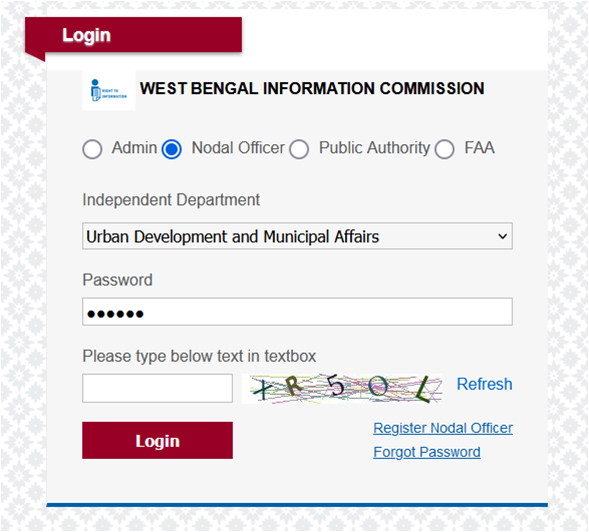
Nodal Officer Registration Page will open as shown:
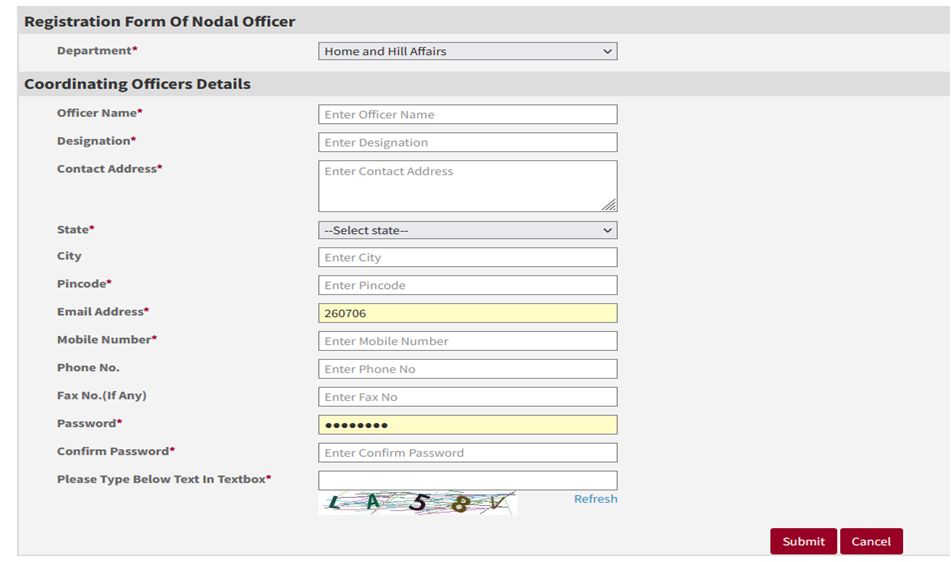
*Fill all the required details (red star * mark is mandatory field).
After filling all the details click on “Submit” button.
Nodal Officer Registration Page
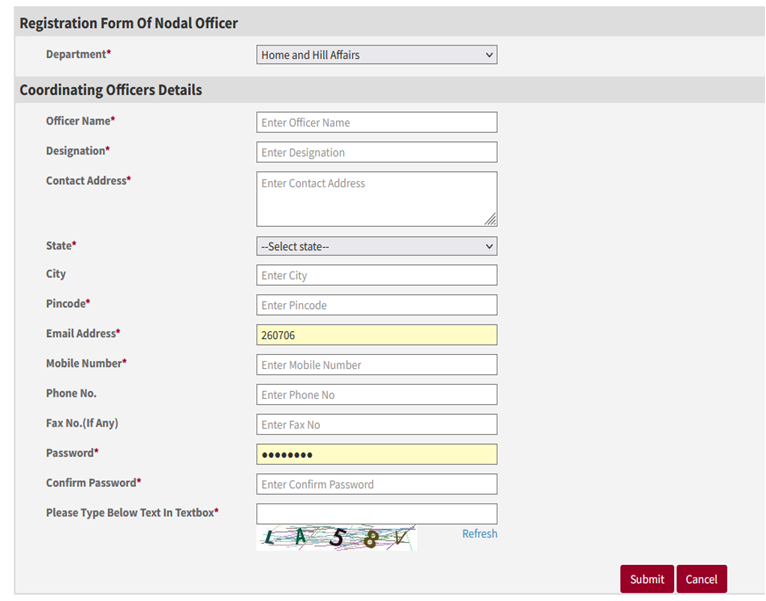
After filling all the details click on “Submit” button.
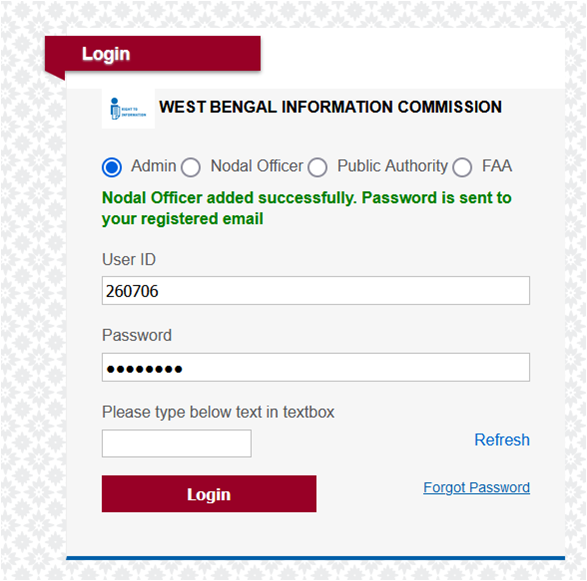
*Fill all the required details (red star * mark is mandatory field).
Login Window for Nodal Officer
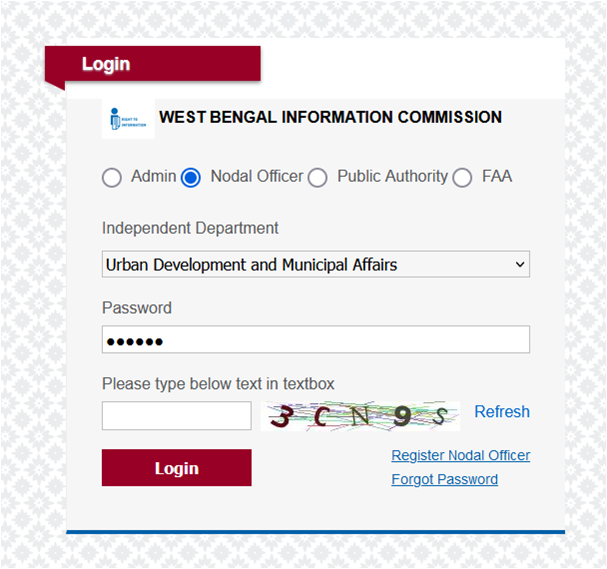
***Please remember the password for login in future.
Here Click on Nodal Officer then select Department, fill password and enter showing text then click on login button.
FUNCTIONALITY OF NODAL OFFICER
After Successfully Login Window for Nodal Officer
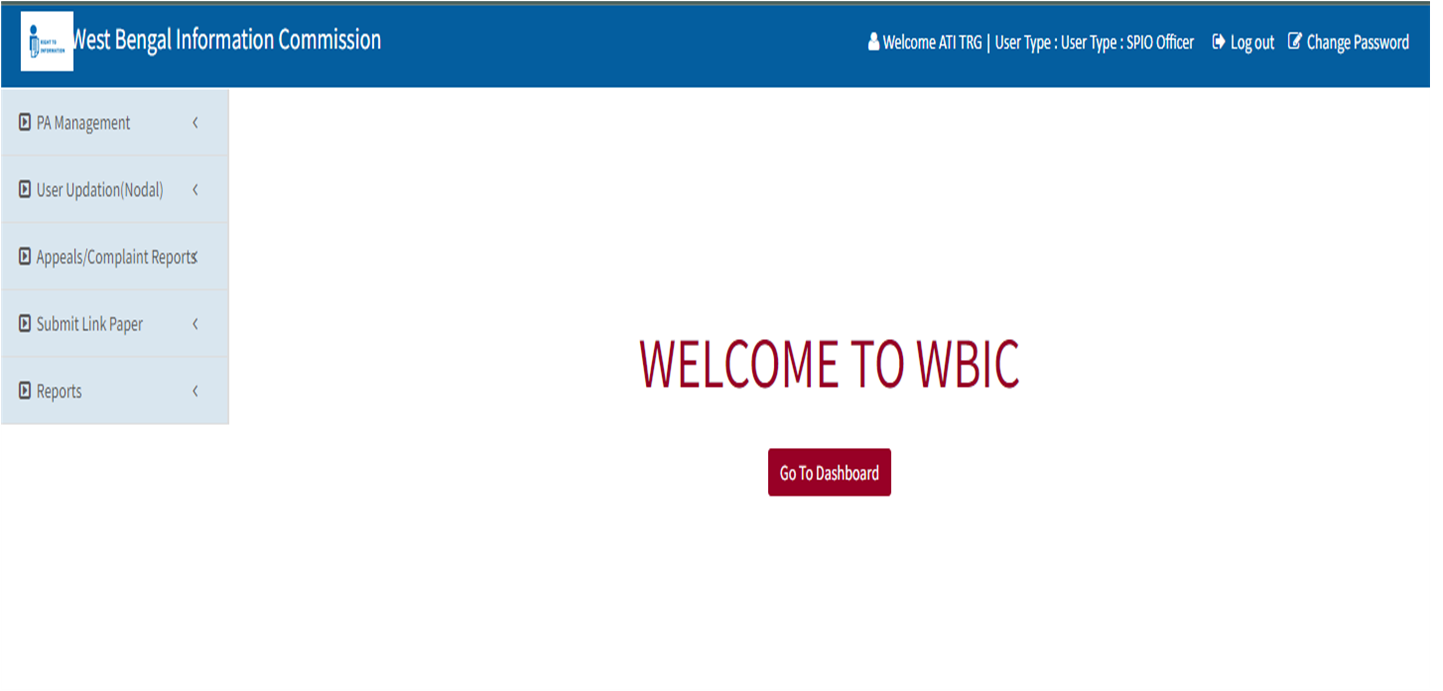
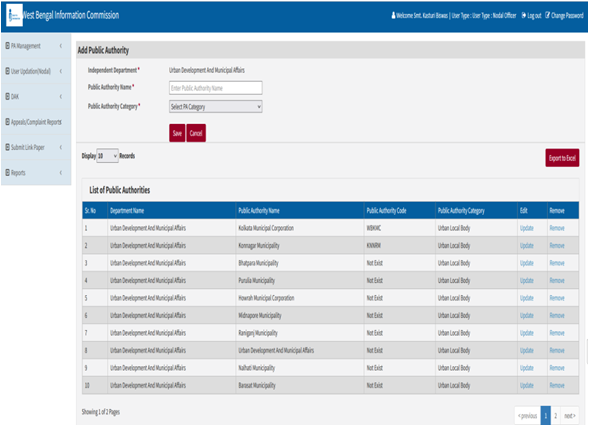
PA Management:-
Nodal Officer has right to Add PA , To add click on PA Management -> Create PA. Now Fill PA Name and PA Category then Click on SAVE Button.
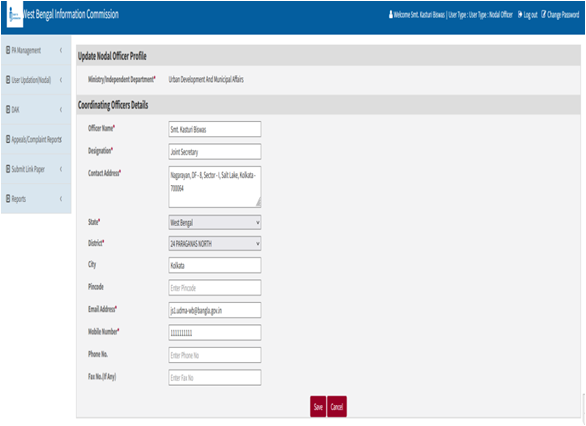
User Updation :-
For updation of personal details.
User Updation (Nodal) -> Update Personal details -> Save
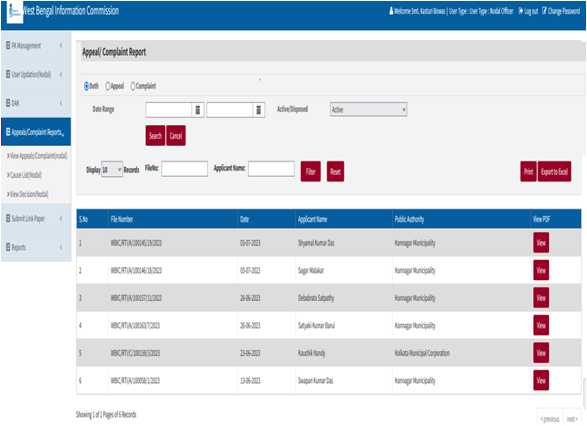
View Appeal/ Complaint reports :-
To View Appeal/ Complaint Report –
Appeal Complaint reports -> View Appeals/Complaints (Nodal)
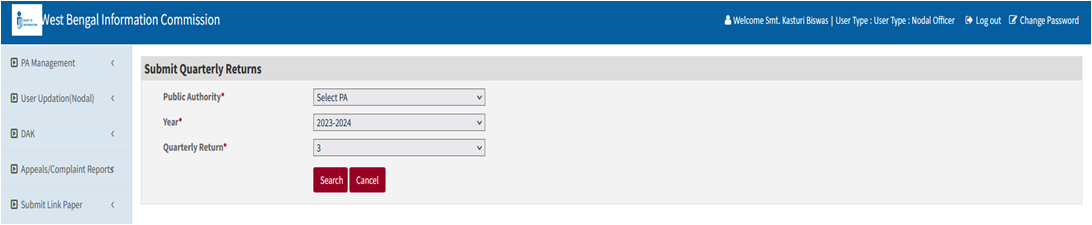
View Quarterly Reports (to view the quarterly report submitted by PA’s)
View quarterly Reports -> View Quarterly Reports(Nodal)
GUIDELINES FOR PUBLIC AUTHORITIES
Select Public Authority then click on Register Nodal Officer
Public Authority Registration Page
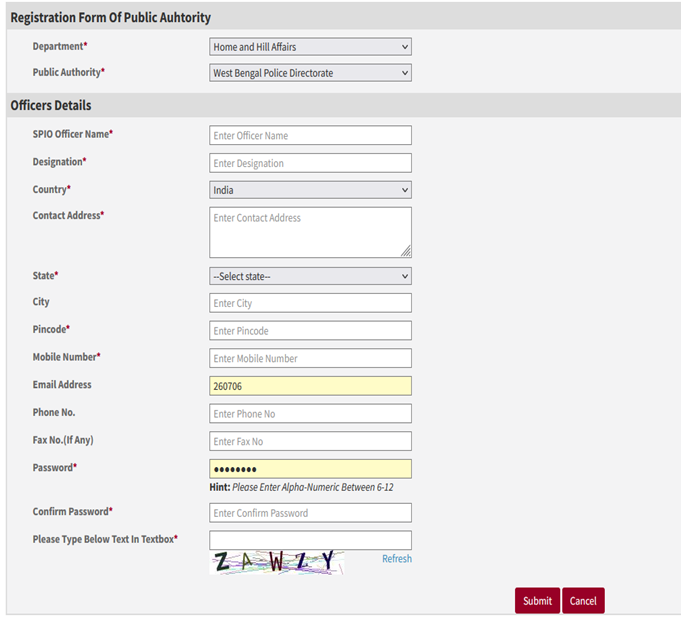
Public Authority Registration Page will open, fill all the required details (red star * mark is mandatory field).
After filling all the details click on Submit button.
It will give message “Public Authority registration submitted successfully, Password is send to your registered email address”
After Successfully Added the SPIO window is display below :-
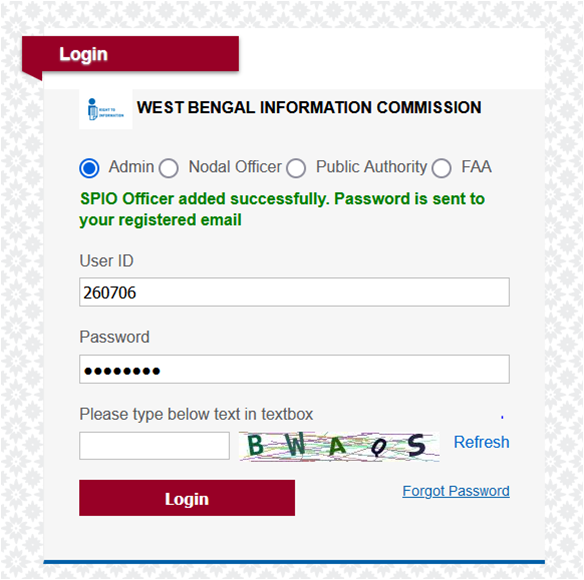
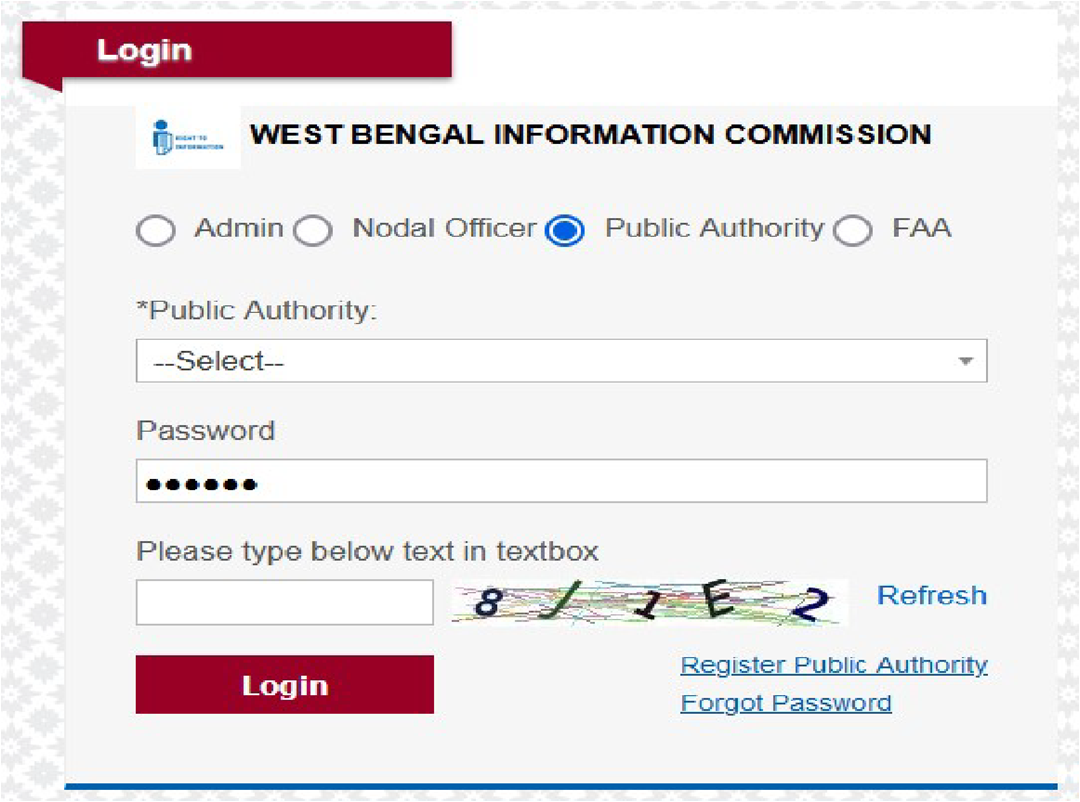
Login Window for Public Authority
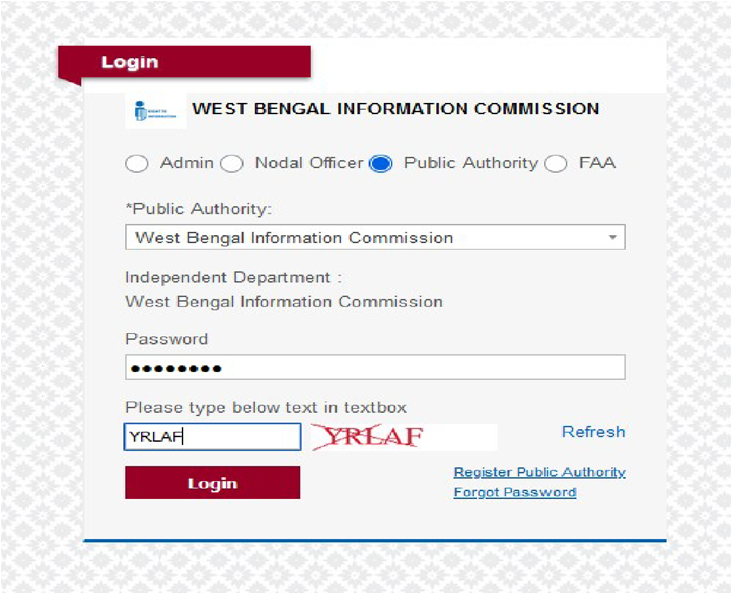
***Please remember the password for login in future .
Here Click on Public Authority then select Public Authority, fill password and enter showing text then click on login button.
After Successfully Log iN, FAA’s Page will open as shown below:-
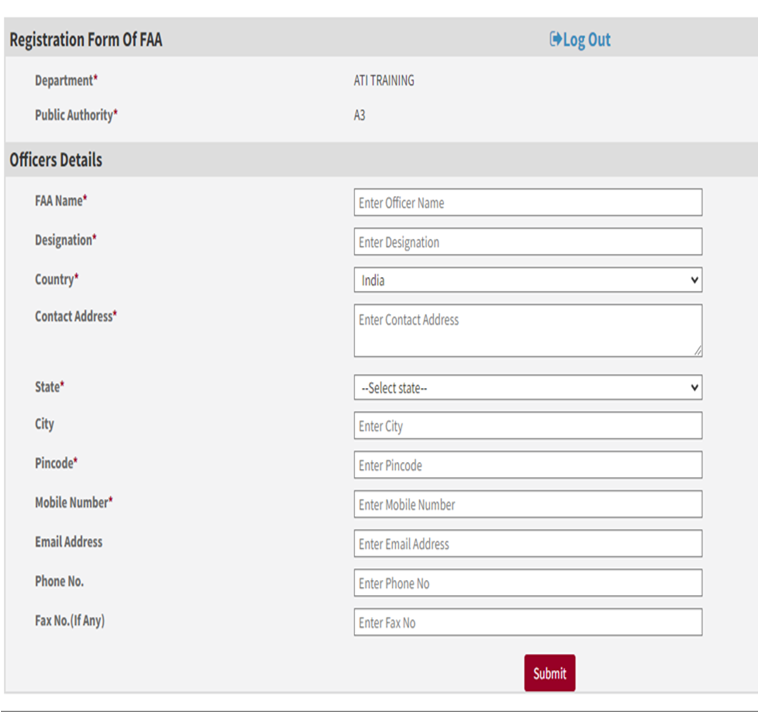
First Appellate Authority Registration Page will open, fill all the required details (red star * mark is mandatory field).
After filling all the details click on Submit button.
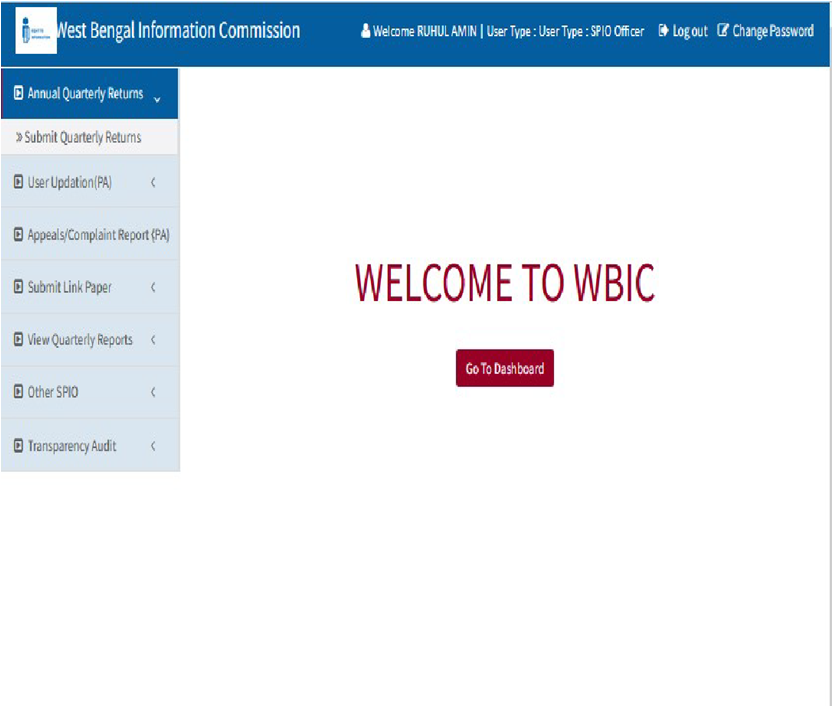
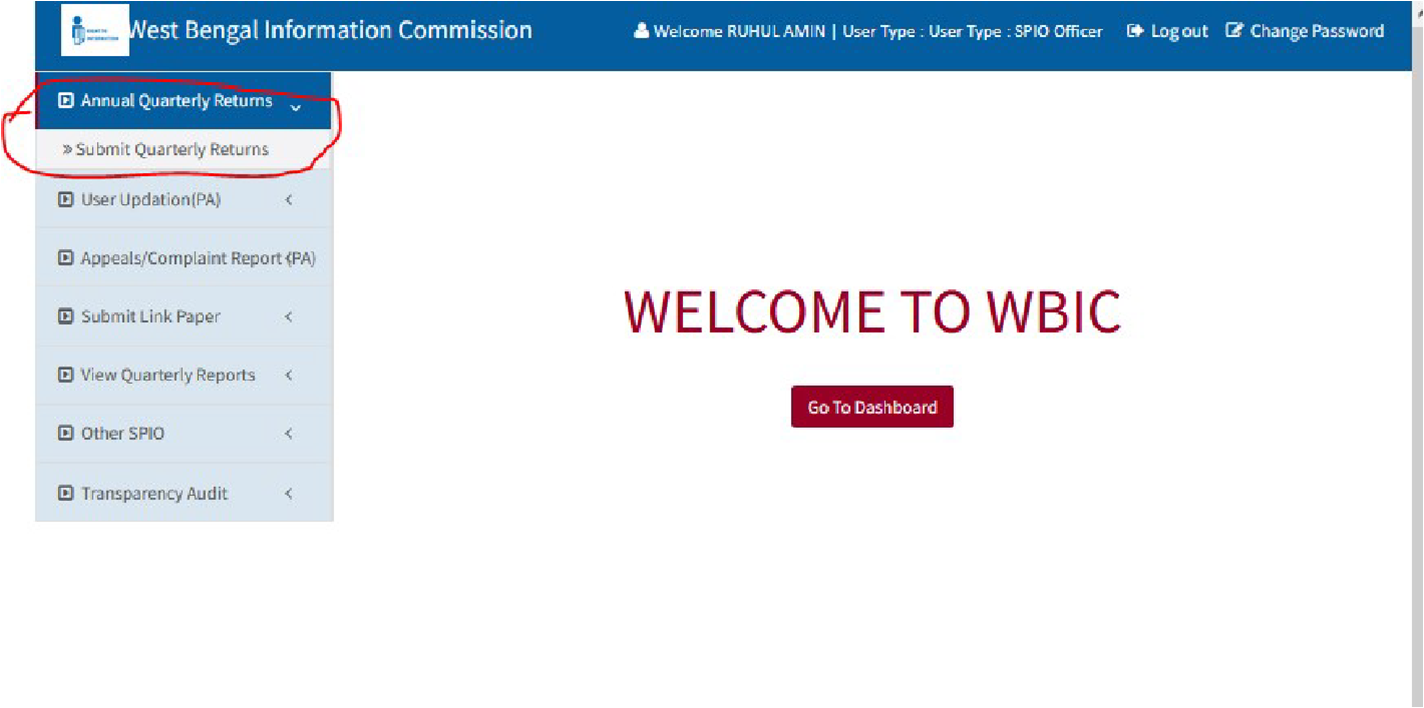
SPIO’s Page will open as shown below:-
FUNCTIONALITY OF PUBLIC AUTHORITY (SPIO)
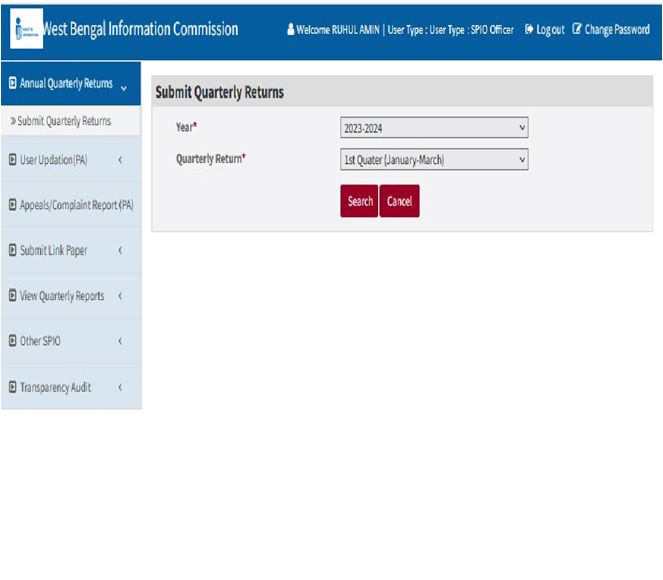
Now click on Submit Quarterly Returns sub menu under the Annual Quarterly Returns menu as shown below:
User Updation :-
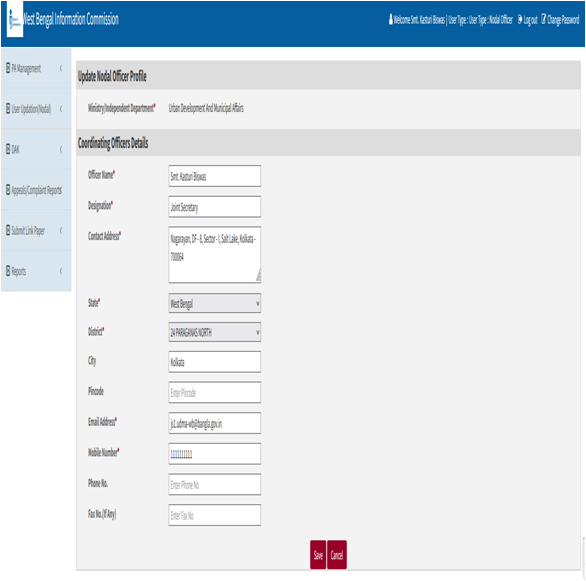
For updation of personal details.
User Updation(SPIO) -> Update Personal details -> Save
View Appeal /Complaint reports :-
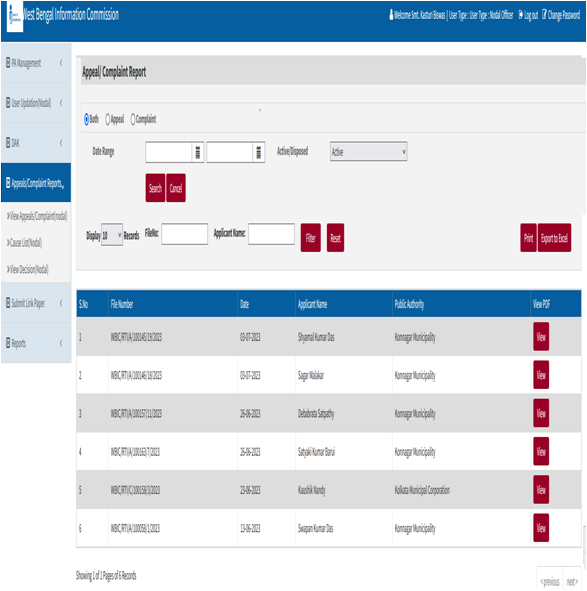
To View Appeal /Complaint Report-
Appeal Complaint reports -> View Appeals/Complaints (SPIO)
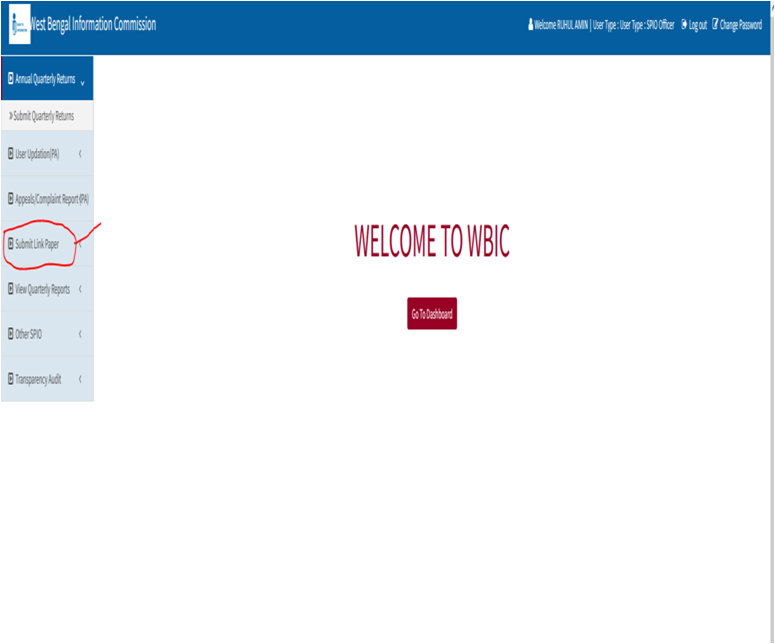
SUBMIT LINK PAPER – ACTION TAKEN REPORT (FROM PUBLIC AUTHORITY)
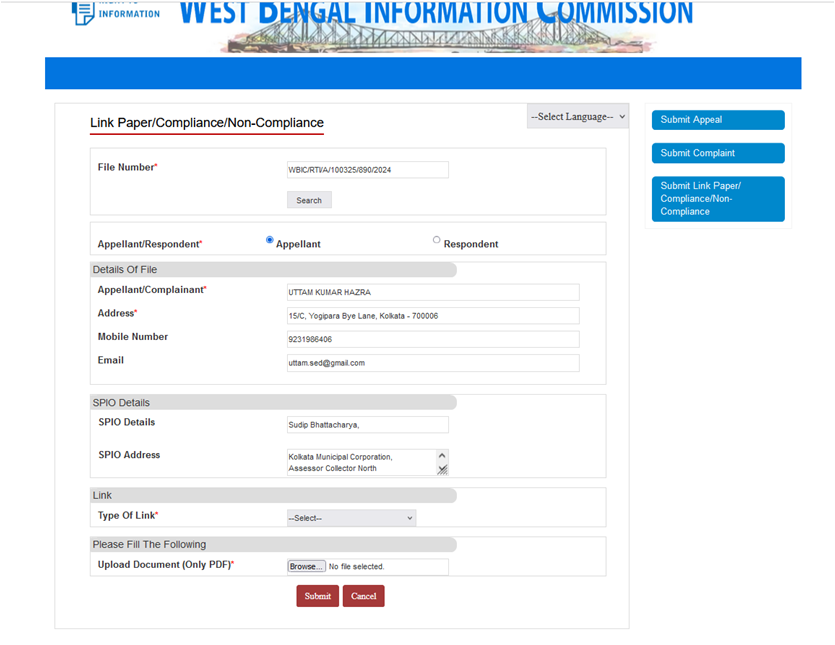
SUBMISSION (FROM APPELLANTS/COMPLAINANTS)
Guideline for The SPIOs for Filing Annual Return U/S 25 Of The RTI Act, 2005
The guideline is issued for the SPIOs of all Public Authorities as the Annual Return under the RTI Act is to be filed by the SPIOs. No other authority (neither the First Appellate Authority or the Nodal Officer) has been given the link to file the return. Hence all SPIOs should compulsorily register themselves on the portal to access the link to file return. Annual Return sent to West Bengal Information Commission in other mode will not reflect in the consolidated Annual Report, to be published by the Commission.